


 31 AUG, 2023
Launching the StartUP Lite New Business Package!
Attractive price for a secure start: Launching the StartUP Lite New Business Package! Have you dreamt of owning your own VoIP business? Well, your dream just got closer to reality! Introducing the StartUP Lite package from GoAntiFraud, designed to make your VoIP business venture smoother and more affordable than ever before. 💸 Are you ready to embark on your journey towards VoIP success? This package includes: Up to 16 channels for enhanced communication capacity. 24/7 online support for uninterrupted assistance. Tailored business setup, ensuring your unique needs are met. 2x GoIP 8 Gateway for seamless connectivity. License valid for 2 months, providing the right tools for growth. Personal support from experts in the field. Call recording feature for valuable insights. We've made it easier than ever to kickstart your VoIP business journey with our comprehensive StartUP Lite package. For a brighter future in the world of VoIP business, contact us for a pre-sales consultation and to get started!
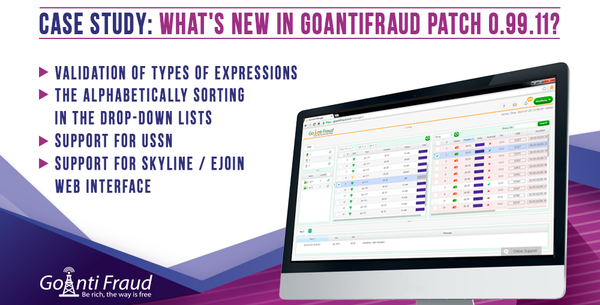
Case Study: What's New in GoAntiFraud Patch 0.99.11?
New GoAntiFraud Patch 0.99.11 makes the following upgrades available: Validation of types of expressions in action is added The validation of types of expressions is added to the edit of ussd messages, incoming SMS, as well as events. When writing an incorrect expression in the "ACTION" section, you will see a message that describes the specific mistake. The alphabetically sorting in the drop-down lists is added The alphabetical sorting in the drop-down lists of the system is added for more convenient display of the drop-down items in your account. Support for USNN is added USSN is information provided by the operator without sending a special ussd request. The editor for processing these messages similar to the ussd message editor or the incoming SMS message editor is added. The operator field is added to the Channel panel You can see which operator’s cards are in the channels of your gateway. Support for SkyLine / Ejoin Tech web interface is added You can open and manage the Web interface of your SkyLine/Ejoin Tech equipment directly from your account. To view this interface, all you have to do is right-click on the equipment and the "Web interface".
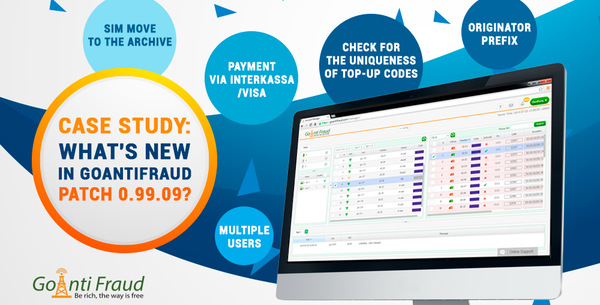
Case Study: What's New in GoAntiFraud Patch 0.99.09?
GoAntiFraud has recently released a new patch - 0.99.09. It makes the following upgrades available: The user’ roles and permissions are added Section "MultiUser" is a module for access to control an account to other users. To do this, you need only specify the username, password, and e-mail. You can then select the role for the user (from the reading mode to full access to the account with the possibility of changes). The originator prefix is added in calls history Now you can see the originator prefix of in the call history so you can track them. SIM move to the archive when cards are offline for more than 5 minutes is added Your cards will be stored in the SIM archive when they are offline for more than 5 minutes to view information on the last card in this port even after the card has been extracted. Check for the uniqueness of top-up codes is added The checking for uniqueness of top-up codes allows you to add a lot of top-up o that you do not worry about their recurrence. The system will not add the codes that were previously added. Payment via Interkassa/Visa is added From now on, paying for licenses becomes easy. You can pay for the license via Interkassa/Visa.
Case Study: What's new in GoAntiFraud Patch 0.99.08?
GoAntiFraud has recently released a new patch - 0.99.08. Consider the main innovations: The SIM bank options window is added From now on you can specify the SIM bank name and set a different password for the web interface of your SIM bank without having to re-add it. Change the GoIP SIM bank identification from id (1.xx) to the actual name. All existing banks are renamed to "(.xx)" Since you can specify the SIM bank name now, it will be displayed in the SIM panel in the header filter. For those who get used to name like {NUMBER}.xx, we have made a custom name according to your habits. Add counters for failed calls to block to the SIM panel Previously, we displayed the counter of failed calls after cards had been loaded to the gateway. To avoid misunderstanding, we add counters of failed calls in a row to improve monitoring. Call audio record to download is added From current patch. you cannot only listen to the call records but also download them in just one click. Advanced filters for SIM panel fields are added You can customize your SIM panel to better understand the behavior of different SIM cards. We have created convenient filters for each individual column. Using filters, you can display information anyway. The color for the third tariff option in the tariff schedule editor is changed You can specify day/night activity of your cards through the schedule in tariff option as before. We have now made more useful and informative color arrangement. The plus button is added to the internal softphone Improved interface for helpful utility. The summary info columns to the top-up pool list are added Now you can see the statistical data on the SIM-cards you have already used and topped up. The priority factors are added to tariff options edit form If you care about evenly or custom load on the cards, you can clearly specify it now. The sign in by email option is added No need to remember login now. The user control module is added We have also simplified access for each user you grant access to your account if you want to share your account but don’t want to give your personal credentials to anybody.
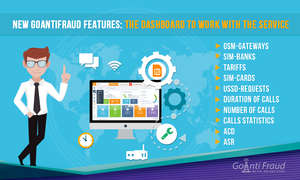
New GoAntiFraud Features: the Dashboard to Work with the Service
From now GoAntiFraud customers can use a convenient dashboard. It allows the user to create a set of widgets to display the overall system status and basic call statistics. Dashboard will make GoAntiFraud easy to use and make your workflow more productive. You can track your system status based on various parameters, using the appropriate widgets. To this end, there is the function to create the set, which will include the widgets that you need. Basic widgets that reflect the system status are as follows GSM-gateways - the number of GSM-gateways in operation. SIM-banks - the number of the SIM-banks in operation. Tariffs - the number tariffs created by the user. SIM-cards - the number of SIM-cards in use. USSD-requests – the number of USSD-requests. The SIM-cards widget can be customized to display using the tariff option (show the SIM-cards on the tariff you have chosen). Other five widgets display statistics. Duration of calls - displays the total number of minutes, as well as the ACD and ASR performance. It is configured to display the data for a specific time period and a certain tariff. Number of calls includes: 1) the number of channels in use 2) the number of channels, available or not available to receive a call 2) number of SIM-cards, registered on the GSM network at the moment. Calls Statistics is the calls statistics widget. It allows you to build charts for visualization of statistical data. You can select a time interval for which you want to see the statistics on calls. The chart indicators represent the total number of channels that can receive calls and the number of channels making calls at the moment. It also displays the number of channels that made simultaneous calls the previous day. ACD. The average duration of all calls. There is a function displaying statistical data for a certain period of time. ASR. The ratio of successful calls to the total number of calls. As with the previous widget, ASR statistics for user-selected time interval can be displayed. You can also add widgets of additional modules to your set - SBO traffic optimization, battery autonomous operation of SIM-cards, and call recording. You can create your own set of widgets, depending on your needs, and rearrange them in any order you like. When you apply the Dashboard, you can have your system status and basic statistics on calls visualized to apply GoAntiFraud more efficiently.
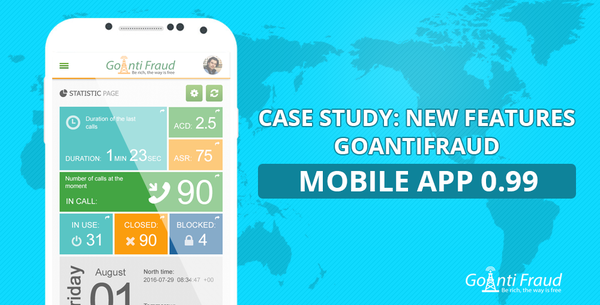
New Features GoAntiFraud Mobile App 0.99
GoAntiFraud has launched an updated version of the mobile app for Android. New output options for calls statistics are added to Version 0.99. In the "General Statistics", you can now view the duration of recent calls for a selected period of time, as well as ACD and ASR indicators (average duration of calls + ratio of successful calls to the total number of calls) for a specific time period. You can choose any period of time, indicating the number of days / hours / minutes, during which the recent calls were made. We have also added the ability to display current statistics for active calls: The number of calls handled; The number of calls that are not ready to work via the service settings; The number of calls from the cards that the service identifies as blocked. The statistics can be viewed for each of the selected tariffs. Now you have even more opportunities for profitable GSM termination. We continue to optimize GoAntiFraud so that you use efficient tools to run your business.
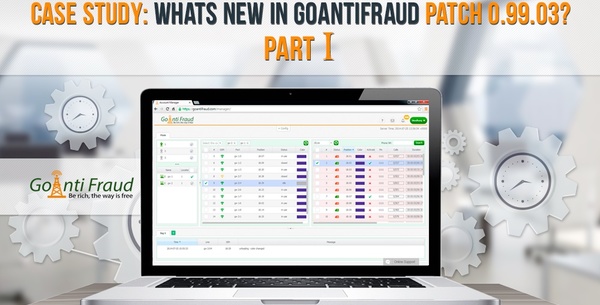
Case Study: Whats new in GoAntiFraud Patch 0.99.03?
GoAntiFraud has recently released a new patch - 0.99.03 Consider the main innovations: - The status is added to the USSD / SMS history Now, in the USSD history makes the status of the request visible: Answered – the request was successful Options not found - No appropriate options found in the USSD templates Not answered - the answer to the request is not available. The following statuses can be seen in the SMS history: Received – the incoming message Sent - the outgoing message We would like to remind that you can check the USSD/SMS history in the SIM-card options: - Scheduled actions (events) are available. The "Events" function allows you to perform an action (similar to actions for USSD or an incoming SMS), according to a predetermined schedule. To create an event, you should select the item in the settings. To add a new event, click on the "Add Event" on the left side of the screen. You should then enter a name and choose the required action (similar to the USSD/SMS). You can also test the action on any SIM-card in the new version of the program. You should click on the "Save" button as soon as you finish setting. After the event is created, you should set a schedule for it to operate. To do this, you should a previously created event and click on the "Add the Schedule" button. - The option to turn on/off the first activation of the schedule is available. If this option is enabled, the system waits for one of the slots to expire and then the schedule becomes relevant. If the option is disabled, the schedule is initialized immediately. - The "perform USSD/ SMS/Event" action is available. Now, one of the actions in response to USSD (or an incoming SMS) can be SMS, USSD sending or the previously created event. - The manual execution of created USSD/ SMS/Event is available. You can perform a USSD/SMS/action at any time, without waiting for the schedule. To do this, you should click the right mouse button on the SIM-card - perform - USSD/SMS/action. - You can now employ several tariffs for incoming SMS patterns. - You can now increase the balance of the selected SIM in the SIM block report and SIM-panel. You can now add the balance of the cards directly into the SIM panel or the SIM report. In order to increase the balance in the SIM panel, you should right-click on the card and select "Increase the balance." The system will add the entered value to the current balance. In order to increase the balance in the SIM-block report, you should go to the SIM-block report, right-click on the card and select "Increase the balance" (similar to the SIM-panel).
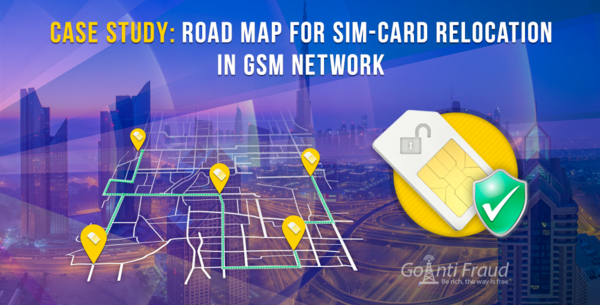
Case Study: Road map for SIM-card relocation in GSM network
An important measure of humanity is a simulation of the physical movement of the card. You can set up the movement rules in the GoAntiFraud system using the "road map" tool. In order to create a road map, you should go to the "Config" - "Road Map". Click on the "Add Road map". To begin with, you should enter a name for the road map. You should choose the locations between which the SIM cards will move: After you have added the locations, you can see the following table: The table is divided into vertical and horizontal components. The starting point (the place we are leaving) is located vertically: The destination is located horizontally (i.e. the place we were going to): At the crossing of the destination and the starting point, we have to specify the time the card will spend travelling. For example, if we want a SIM-card to travel from Location 1 to Location 4 for half an hour, the map will be as follows: Here we have to specify the time (30 minutes in this case): Please note that you should use the hh:ss format to set the time. You can also see the changes on the right, which display a visual model of your map: Consequently, we are creating a road map by forming different routes. Please note that the rectangles on the crossing of the same locations should remain empty, since there will be no movement in this case: Once you have created your map, you should save it. You must also select the created map in the tariff settings. Using the road map, you can successfully simulate the physical movement of the SIM-card, which is an important indicator of humanity.
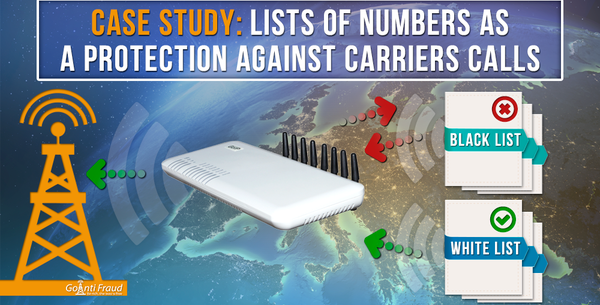
Case Study: Lists of numbers as a protection against carriers calls
What are lists of numbers for? As you know, some operators make calls to users’ SIM-cards in order to block them. This is called "carrier’s calls" The GoAntiFraud system has a mechanism that helps users to create lists of numbers that protect their SIM-cards against the carrier’s calls. This tool allows generating a series of numbers, which the users can trust or do protect their cards from calls that carriers make from unwanted numbers. Another advantage of using lists is traffic filtration. Based on the call history, we can select numbers that will provide us with the best value ASR (degree of the dial-up) and ACD (average call time), and specify them in the system as acceptable for termination. What lists can we create? We can create two types of lists - black and white. The purpose of the black list is to reject calls when the dialed number or caller is on this list (the carrier number, the number that has ACD and ASR with poor performance). The purpose of the white list is similar that of the black list, but it employs the numbers that are dialed. If the number is on the white list, the call is received. If this number is not listed, the call is rejected. How to create a list? To create a list of numbers you should go to the Config tab -> Lists of numbers Here you should click on the "Add a list" button Creating a list is simple enough: 1) You should choose an arbitrary name for the list and identify the type: white or black 2) Once the list is created by selecting it in the left side, on the right side you can fill it in with numbers manually: Or, you can download a previously created file - by right-clicking on the add number field and pressing import: It is important that the file should be in CSV or txt format - a regular text file. In addition, a new line should separate the numbers. Next, you should select the list in the tariff settings ("Lists of numbers" item). Generation of a list of numbers The GoAntiFraud system provides the ability to generate lists of numbers. This option allows you to filter traffic in order to achieve optimal statistical indicators. In order to create a list, you should go to the Reports tab – Number list generation Here we can see the following menu: We are going to consider the filters: Generated – the call is generated within the system or it is a real one. From, To – calls filtered by date Paid duration – paid call time. Tariff – is the tariff, which handles the call (within the GoAntiFraud system). Originator – the filter by the customer created in the system. Originator’s IP – filter by IPs, that provide traffic. You can also specify: The minimum and maximum of the call time. The total and average call time to the number. The number of such calls. After you have specified all the required parameters, you should select "To the file" item and click to display - the system will provide you with a ready csv file, which you can use as a list. Using lists of numbers, you can get good statistical data and protect your SIM-cards from unwanted carrier’s calls. You don't know how to use this case? – Fill in an application form for a free webinar and we will instruct you! Or you can start your presentation right now in our chat.
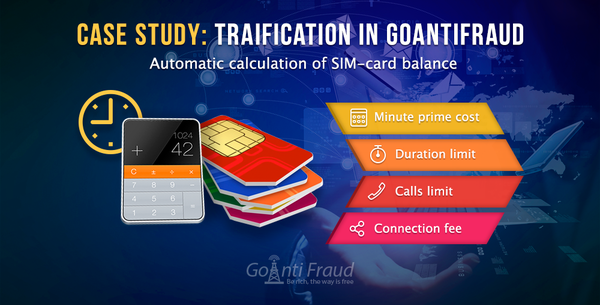
Case Study: Tarification in GoAntiFraud
Options and principles for automatic calculation of SIM-card balance without frequent USSD-requests in GoAntiFraud system. From this video you will learn how to set up the function of charging the balance of SIM-cards. Why is it useful for the terminator? Termination requires monitoring the balance of SIM-cards constantly. It takes sending a lot of USSD requests, which is not typical for the behavior of a real user and causes suspicion among operators. But there is a solution – the setup of the balance billing to update the balance in real time, while having SIM-cards behave like a "human". Since the cost of calls to different directions and rates differ, the system can automatically keep track of changes in the balance. To do this, you need to specify tariff restrictions in the settings to update in real time. To do this, go to the Tariffs -> Options section, select the desired rate, and then click "Add Options Limit" button. In the window that opens, you must specify the following values: Minute price cost. Cost per minute of talk in the direction indicated. Duration limit. Limitation of call duration for a particular direction. Calls limit. Restrictions on the number of calls in this direction. Hangup calls on exceeding the limit. Calls are hung up when the limit is exceeded. Carrier. Specify the direction for the current limits and tariffs. NTI (s). The amount of time (in seconds), which is not charged until the subscriber does not pick up the phone. Connection fee. Interval after NTI. Charging interval for a call (if charging in seconds - it is equal to 1 if in minutes - 60).